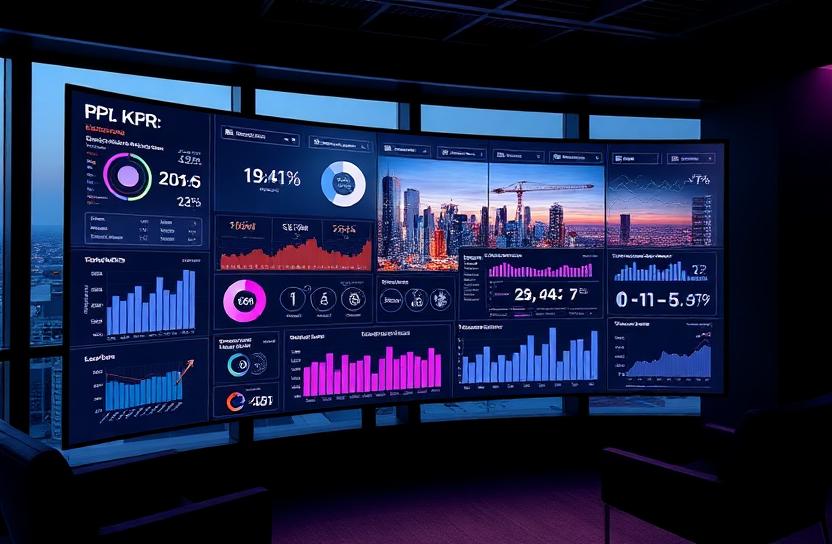
Internal Dashboards for Construction: What Leadership Actually Needs to See
Construction company dashboards should show leadership what they need to make decisions, not what the software vendor decided was important. Here's what actually matters.
The Dashboard Problem
Every construction software platform comes with dashboards. Procore has dashboards. Sage has dashboards. Buildertrend has dashboards. Your field reporting tool has dashboards.
The problem is that each dashboard shows you what's happening inside that one platform. None of them show you what's happening across your entire operation.
Your CEO doesn't need to see Procore metrics. They need to see company health. Your VP of operations doesn't need to see accounting reports. They need to see operational performance across all projects. Your project executives don't need to see individual daily logs. They need to see portfolio level risk and performance.
Custom internal dashboards solve this by pulling data from all your systems into views designed around what your leadership team actually needs.
What Leadership Needs to See
After working with construction companies, we've found that leadership consistently needs visibility into five areas:
1. Financial Health
Real time view of company financial position across all active projects. Total backlog, aggregate profitability, cash flow forecast, and budget health by project.
Not a P&L that's two months old. Not a job cost report someone compiled last week. Live data that reflects today's financial reality.
2. Project Performance
How each project is performing against plan. Schedule adherence, budget tracking, change order impact, and risk indicators. All projects visible in one view, sortable and filterable by PM, project type, client, or region.
3. Resource Utilization
Where your people and equipment are deployed. Which projects are overstaffed, which are understaffed. Upcoming resource needs based on schedule projections. Subcontractor commitment levels.
4. Risk and Issues
Active issues requiring attention, ranked by severity and urgency. Overdue submittals. Stalled change orders. Safety trends. Projects where budget or schedule are trending beyond acceptable thresholds.
5. Operational Metrics
KPIs specific to your company: average approval cycle time, field report completion rates, change order recovery rates, closeout completion timelines. The metrics that tell you whether your operation is getting better or worse.
Designing Effective Dashboards
Good dashboards for construction leadership follow several principles:
Information hierarchy. The most important information should be immediately visible. Details should be accessible through drill down, not displayed upfront. A project health score is the first thing you see. The breakdown of why that score is what it is comes when you click.
Exception based. Show what needs attention, not everything. If a project is on track and on budget, it should appear as green and require no further attention. Dashboard space should be dominated by items that need action.
Role specific. Different roles need different views. The CEO sees company level metrics. The VP of operations sees operational performance. The project executive sees their portfolio. Each person has a view designed for their responsibilities.
Real time or near real time. Dashboards that show data from last month are reports, not dashboards. For leadership decision making, the data needs to be current. Daily updates at minimum, real time preferred.
Actionable. Every piece of information on a dashboard should connect to a possible action. If a metric is red, what should the viewer do about it? If data is purely informational with no action implication, it probably doesn't belong on the dashboard.
Building Custom Dashboards
Custom dashboards for construction companies require two things: data connections and design.
Data connections: The dashboard needs to pull from all your operational systems. Project management, accounting, field reporting, scheduling, and any other system that contains relevant data. This is the integration challenge. Each system has its own data structure, and the dashboard needs to normalize that data into consistent metrics.
Design: The visual layout, information hierarchy, and interaction design need to match how your leadership team actually makes decisions. This requires understanding their workflow, not just their data requests.
The most effective approach is collaborative: technical builders working directly with the leadership team to iterate on what's shown, how it's organized, and what interactions are supported.
The Impact of Good Dashboards
When leadership has access to well designed custom dashboards:
Meetings get shorter. Instead of spending the first 30 minutes of every meeting compiling status updates, the data is already visible. Meetings focus on decisions and actions.
Problems get caught earlier. When budget trends, schedule deviations, and risk indicators are visible in real time, leadership can intervene before problems become crises.
Resources get allocated better. With visibility into utilization and needs across all projects, staffing and equipment decisions are based on complete information.
Accountability improves. When performance data is visible and transparent, teams naturally perform better. Not because of pressure, but because they can see how their work connects to company outcomes.
The Bottom Line
The dashboards that come with your commercial software are starting points, not solutions. Custom dashboards designed around your leadership team's specific needs transform how your company makes decisions.
The investment in building them is modest compared to the value of having leadership make better decisions, faster, based on complete and current information.
Ready to build a tech stack that fits your operation?
Let's talk about what your company actually needs.
Start the ConversationStack Exposure Calculator
Add up what you're actually paying for software subscriptions. No hidden multipliers, just your tools and your total.
See Your ExposureOperational Leakage Model
Estimate what your workflow structure costs in wasted time, duplicate effort, and labor leakage every month.
Model Your LeakageWe build this
More in Internal Software Builds

Why Construction Companies Need an Internal Tech Architect, Not More Software
If your solution to operational inefficiency is adding another platform, you are increasing complexity, not reducing it. Construction needs architecture, not accumulation.

Building Internal Software for Contractors: A Practical Guide
Internal software is the technology your company builds for itself to handle the workflows, processes, and data flows that no off the shelf product was designed to address.
When to Build Internal Tools for Your Construction Company
Not every process needs custom software. But some processes are costing you so much in manual effort and errors that building a custom tool is the obvious move.

Contractor Internal Systems: Building the Operational Backbone of Your Company
Internal systems are the operational backbone that holds a construction company together. Most contractors are running without one, and they feel it on every project.
Don't Hire a Developer Before You Map Your Workflow
Hiring a developer without understanding your workflows first is like hiring a framer before you have blueprints. The build will be wrong.
Why Hiring a CTO Too Early Can Kill a Construction Tech Project
A CTO solves technology problems. But most construction companies do not have technology problems first. They have workflow problems that need operational thinking before technical execution.

The Danger of Letting One Employee Build a System
When one tech savvy employee builds your critical business system, you have created a single point of failure that puts your entire operation at risk.
Why Vibe Coding Your Operations Is a Risk
Using AI to generate code without understanding your workflows creates software that looks functional but falls apart under real operational pressure.

AI Can't Design Your Construction Workflow
AI can help build software. It cannot design the workflow that software needs to support. That requires human understanding of how your company actually operates.
Why Cheap Offshore Dev Usually Costs More
Offshore development rates look attractive until you add up the rework, miscommunication, and operational failures that come from building without industry context.

Custom Software Without Industry Knowledge Fails
Custom software built by developers who do not understand construction produces technically correct code that operationally fails. Industry knowledge is not optional.

The Real Risk of Freelancer Built Internal Tools
Freelancer built tools solve today's problem and create tomorrow's crisis. Without long term ownership and maintenance, internal tools become liabilities.

Why Software Built Without Field Input Breaks Fast
Software designed in the office without field team input looks great on screens and fails on jobsites. The field is where the truth lives.
The Construction Software Build Order That Actually Works
There is a correct sequence for building construction software. Skip a step and the whole project suffers. Follow the order and the results compound.
Before You Write Code, Map the Work
The most important step in building construction software has nothing to do with code. It is understanding, in granular detail, how the work actually gets done.

The $100K Mistake Contractors Make When Building Internal Software
Contractors waste six figures on software builds that fail for the same predictable reasons. The mistake is not building software. It is building it without a plan.

Why Construction Software Must Be Built by Construction Minds
The best construction software comes from teams who understand the industry from the inside. Tech-first teams miss the context that makes software actually work on jobsites.
The Gap Between Software Developers and Field Reality
Software developers and field crews live in different worlds. Bridging that gap is essential for building construction software that actually works.

Why Most Tech Teams Misunderstand Jobsite Work
Tech teams build for how they think construction works. Construction works differently. This misunderstanding produces software that looks great in demos and fails in the field.
Construction Is Not Just Another Industry Vertical
Software companies treat construction as another vertical to enter with minor customizations. Construction is fundamentally different from other industries, and the software must reflect that.
Building Software With Superintendents, Not Just Engineers
Including superintendents in the software design process produces tools that actually get used in the field. Excluding them produces tools that get abandoned.
The Jobsite Truth Most Tech Teams Miss
There's a fundamental truth about jobsite operations that most technology teams never grasp: the field doesn't exist to generate data for the office.
Software Built From the Field Backward
The best construction software starts at the jobsite and works backward to the office. Most software does the opposite, and that's why field teams don't use it.
Why Industry Context Beats Coding Speed
A fast developer without construction knowledge will build the wrong thing quickly. A construction-informed developer will build the right thing. Speed means nothing without context.

Construction Software Needs Operational Empathy
The best construction software is built with empathy for the people who use it; understanding their pressures, constraints, and daily reality.
Tech Tourism vs Industry Roots in Construction Software
There's a difference between tech companies visiting construction as tourists and companies rooted in the industry building technology. The software reflects the difference.
Why Vertical Software Requires Vertical Experience
Building software for construction requires construction experience. Horizontal software skills don't translate directly to vertical industry needs.