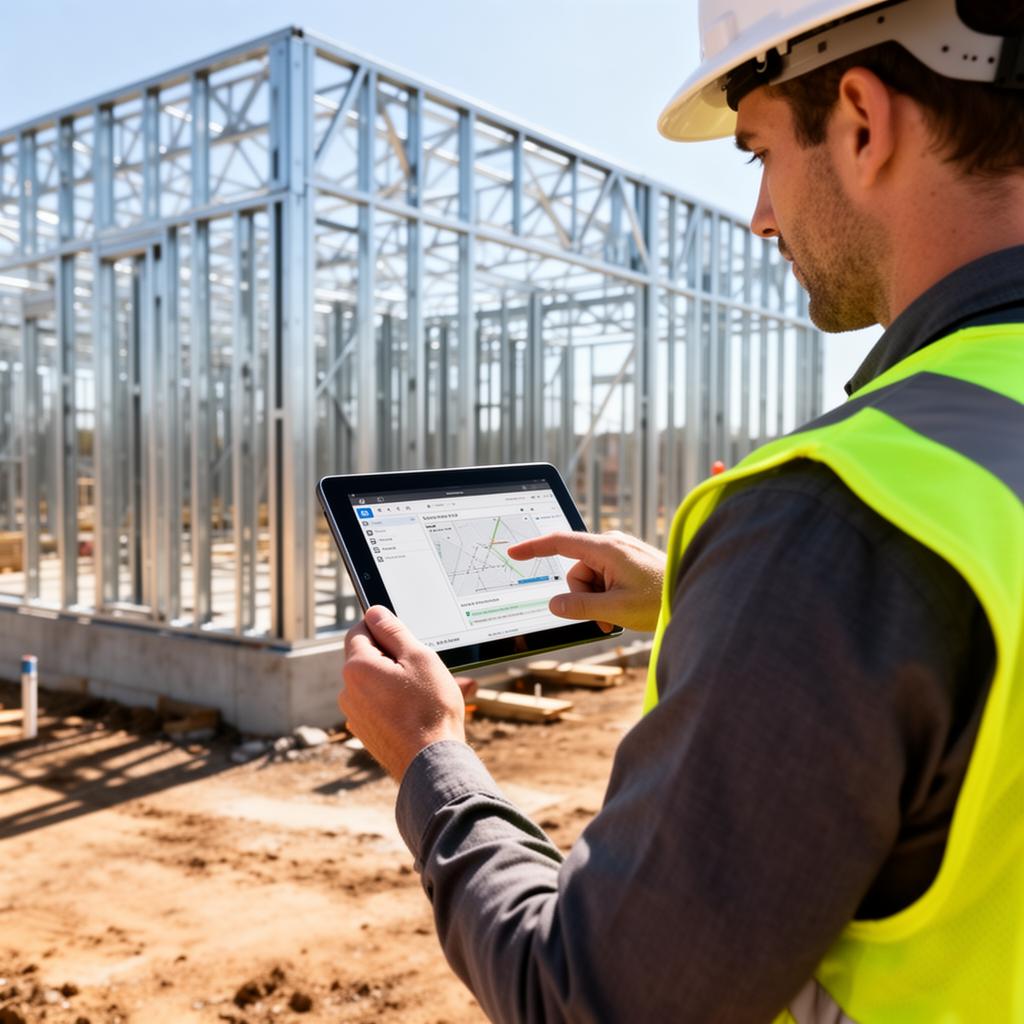
How to Design Field Data Capture That Crews Will Actually Use
Field data is the most valuable and hardest to capture data in construction. Here is how to design capture systems that work in jobsite conditions and produce data worth analyzing.
The Field Data Problem
The most important data in construction is generated on the jobsite. Daily production, material usage, labor hours, safety observations, quality checks, equipment runtime, weather impacts, delivery confirmations, and inspection results all originate in the field.
Yet according to FMI Corporation research on technology adoption in construction, the number one reason field personnel abandon digital tools is that the tools take too long to use relative to the perceived value. A superintendent managing three crews, coordinating deliveries, and solving problems in real time will not stop for 20 minutes to fill out a digital daily log that took 5 minutes on paper.
The result is a data gap. The office has sophisticated dashboards and reports, but the data feeding them is incomplete, late, or manually transcribed from paper notes and text messages. According to the Associated General Contractors of America (AGC), field-captured data is 3x more accurate than office-transcribed data because it eliminates the delay and interpretation errors introduced by secondary entry.
Three Principles of Field-Friendly Data Capture
Principle 1: Capture in the Flow of Work
The best field data capture systems embed data collection into actions that field personnel are already performing. Instead of creating a separate "data entry" step, the system captures data as a byproduct of doing the work.
When a superintendent approves a material delivery, the system captures the vendor, material type, quantity, delivery time, and condition assessment as part of the approval action. When a foreman assigns crews to tasks, the system captures labor allocation. When someone takes a progress photo, the system captures location, timestamp, and project phase metadata automatically.
This principle eliminates the false choice between production and documentation. The field team does their job, and structured data emerges from those actions.
Principle 2: Design for Jobsite Conditions
Software designed in an office, tested in an office, and approved in an office will fail in the field. Jobsite conditions are fundamentally different from office conditions:
Gloves. Touch targets must be large enough for gloved fingers. Small buttons and precise form fields are unusable.
Sunlight. High contrast interfaces are essential. Subtle gray-on-white text that looks elegant on a desktop monitor is invisible in direct sunlight.
Connectivity. Cellular coverage on construction sites is unreliable, especially inside structures or in rural areas. Systems must work offline and sync automatically when connectivity returns. According to JBKnowledge's Construction Technology Report, 43% of construction professionals report connectivity issues on jobsites as a significant barrier to technology adoption.
Interruptions. A foreman filling out a form will be interrupted multiple times. The system must save progress automatically and allow easy resumption.
Time pressure. Any individual data entry must be completable in under two minutes. If it takes longer, it will not be completed during the workday and will be done from memory at the end of the day, which degrades accuracy.
Principle 3: Show Value to the Person Entering Data
According to research published by the Construction Industry Institute (CII), field data capture rates increase by 40% to 60% when users can see their own data reflected in performance metrics.
If a foreman logs crew hours but never sees anything come back from that data, the logging feels like overhead imposed by the office. If the same foreman can see that his crew produced 12% more units this week than the project average, the data has personal relevance.
Practical approaches to showing value:
Personal dashboards. Give each superintendent or foreman a simple view of their own metrics: crew productivity, safety record, schedule adherence.
Comparative benchmarks. Show how a crew's performance compares to project averages or company benchmarks. Not as a punishment tool, but as a feedback mechanism.
Automated reports. Replace manual reporting with auto-generated summaries from the data the field team already entered. "Your daily log is done because you already captured the data throughout the day" is a powerful value proposition.
Common Field Capture Mistakes
Mistake 1: Too Many Required Fields
Every required field is friction. If a daily log has 30 required fields, completion rates will be low. Start with the 5 to 8 fields that provide the most operational value. Add more over time only when the team has internalized the habit.
Mistake 2: Free Text Instead of Structured Input
Free text fields produce data that cannot be aggregated or analyzed. "Poured 3rd floor slab south wing" and "concrete placement level 3 S" and "slab pour fl3" all describe the same activity but cannot be compared programmatically.
Use structured selections wherever possible: dropdown menus for activity types, predefined location codes, selectable weather conditions. Save free text for genuinely variable information like notes and observations.
Mistake 3: Ignoring the Photo Workflow
Photos are the most natural form of field documentation. Construction crews already take dozens of photos daily. The problem is that those photos end up in personal camera rolls with no metadata, no categorization, and no connection to the project record.
Build the photo workflow into the capture system. When a photo is taken through the system, it should automatically tag the project, location, date, time, and the user who took it. Allow optional categorization (progress, safety, quality, issue) and a short caption.
Mistake 4: No Offline Capability
A system that shows a spinning wheel or an error message when connectivity drops will be abandoned. According to Dodge Data and Analytics, contractors report that offline capability is the second most important feature in field technology, after ease of use.
Build offline-first. Store data locally, sync when connected, and provide clear visual indicators of sync status so users know their data has been submitted.
The Two-Minute Test
Every field data capture form should pass the two-minute test: Can a field worker complete the entry in under two minutes using one hand, in direct sunlight, while wearing gloves?
If the answer is no, simplify. Remove fields. Add defaults. Use larger touch targets. Pre-populate from previous entries. Do whatever it takes to get the capture time under two minutes.
The best field data is the data that actually gets captured. A perfect form that nobody fills out produces zero value. A simplified form that every crew completes every day produces intelligence that compounds across projects.
Checklist: Field Data Capture Design
- [ ] Core forms completable in under 2 minutes
- [ ] Works fully offline with automatic sync
- [ ] Touch targets sized for gloved hands
- [ ] High contrast interface for sunlight readability
- [ ] Structured inputs instead of free text where possible
- [ ] Auto-save on interruption
- [ ] Photo capture with automatic metadata tagging
- [ ] Personal performance dashboards for field users
- [ ] Pre-populated fields from previous entries where applicable
Ready to build a tech stack that fits your operation?
Let's talk about what your company actually needs.
Start the ConversationStack Exposure Calculator
Add up what you're actually paying for software subscriptions. No hidden multipliers, just your tools and your total.
See Your ExposureOperational Leakage Model
Estimate what your workflow structure costs in wasted time, duplicate effort, and labor leakage every month.
Model Your LeakageWe build this
More in Tech Architecture
Cost Coding Best Practices for Contractors Who Want Accurate Job Costing
Inconsistent cost codes are the number one reason contractors cannot trust their job cost reports. Here is how to build a cost code structure that makes every project comparable and every bid more accurate.
Data Governance for Contractors: Why Your Data Needs Rules to Be Useful
Data governance is not a corporate buzzword. It is the difference between data you can trust and data you have to verify every time you use it. Here is the minimum viable governance framework for scaling contractors.